
- Connect and sign into AWS here: https://sigtheatre.signin.aws.amazon.com/console
- The Account ID should be sigtheatre
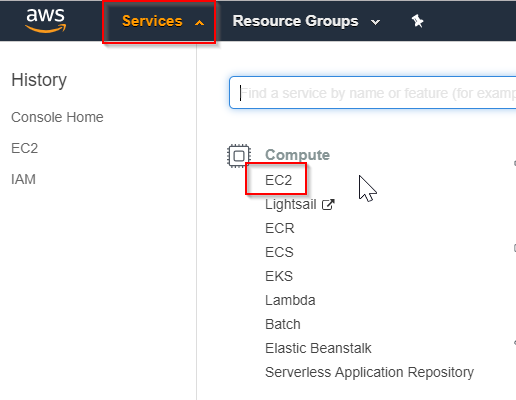
- In the top left corner, click on Services, then EC2
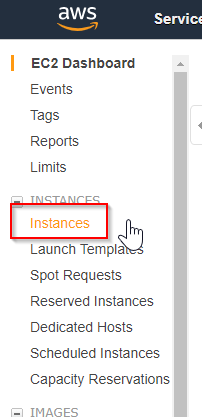
- From the left side menu, choose Instances
- You'll see a list of our Instances or virtual machines, and you'll find Quickbooks with the name AWS008
- To start or stop the instance: right click on it, then choose Instance State, then either Start or Stop
**Only choose Start or Stop. Choosing Terminate will return an error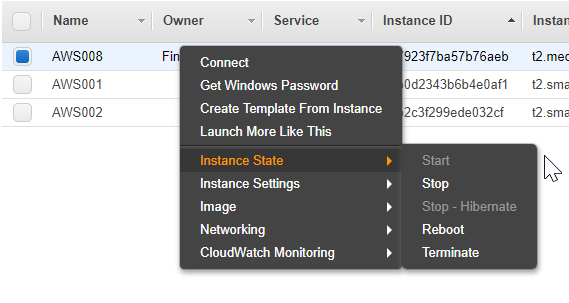
Comments
0 comments
Article is closed for comments.