
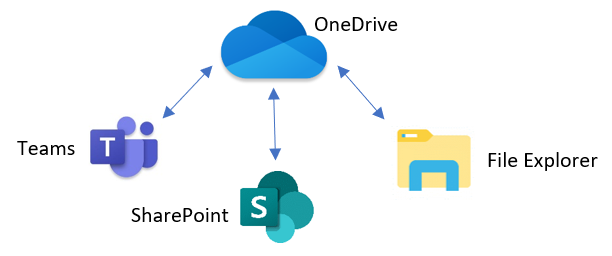
You have a few options for how to open your files. Whichever you choose mostly depends on your preference and what’s easiest for you, but just know what whichever option you pick is connecting back to the main cloud storage. It kind of looks like this:
- The Teams application. This should already be installed on your computer (if not let team IT know). Then to get to a file, select “Teams” from the left pane, choose the Team and Channel that holds the files your looking for, and then select the “files” tab at the top:
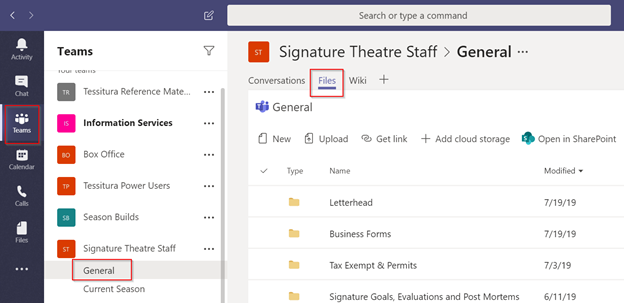
- SharePoint online. You can choose the "Open in SharePoint" option from the screenshot above, or go to OneDrive.com.
- Your local computer File Explorer. Since File Explorer isn't connected to the internet or our cloud storage by default, you have to tell it where and how to connect to the files. To do that, see this article: How to Sync Files from Teams
Comments
0 comments
Please sign in to leave a comment.