
To save a file to a folder in Teams from Tessitura:
1. Click to save file, and you'll get the "Save As" Window
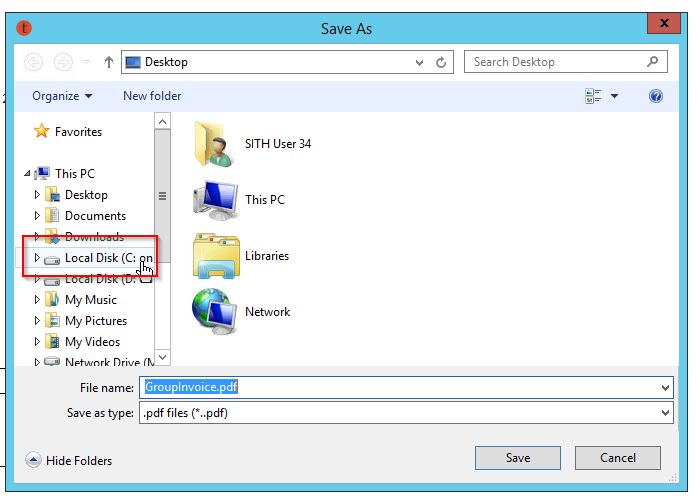
2. Choose your C: Drive, and then from there Users > (your username) > Signature Theatre
3. In the Signature Theatre folder will be all folders from Teams that you've synced to your computer, and you can save anywhere in there.
The path "C: Drive > Users > (your username) > OneDrive - Signature Theatre" will only save to your personal OneDrive, meaning stuff only you can access with your user. Feel free to save stuff there if you want, but it won't be accessible by others on your team.
Comments
0 comments
Please sign in to leave a comment.